
Examples
Real code against the fuzzball 1.0.0 API, with the exact bytes each call produces. ESC is byte 0x1b.
# Keyboard
Turn the mode on, then feed input to a Decoder as it arrives. Partial messages are held until complete; everything else comes back as Item::Text for your normal input parser.
use fuzzball::keyboard::{self, KeyEvent};
use fuzzball::{Decoder, Item};

// Turn the mode on (write this to the terminal).
let enable: &[u8] = keyboard::ENABLE;

let mut d = Decoder::new();
d.push(b"\x1bP=Fzke;t=p,code=KeyA,key=U+0061,text=61\x1b\\");
while let Some(item) = d.next() {
    match item {
        Item::Message(m) => {
            if let Some(ev) = KeyEvent::from_message(&m) {
                println!("{:?} {:?} {:?}", ev.kind, ev.key, ev.text);
            }
        }
        Item::Text(other) => { /* hand to your normal input parser */ let _ = other; }
        _ => {}
    }
}ESC P=Fzks;on=1,v=0ESC \ESC P=Fzke;t=p,code=KeyA,key=U+0061,text=61ESC \Parsers that manage their own buffer (such as crossterm's) can use keyboard::parse_event(buf, max), which parses one event at the start of the buffer and reports Incomplete, Invalid { len } or NotFuzzball. keyboard::ENABLE_STR and DISABLE_STR are the same commands as &str.
use fuzzball::keyboard;
use fuzzball::Parse;

let buf = b"\x1bP=Fzke;t=p,code=KeyA,key=U+0061,text=61\x1b\\";
match keyboard::parse_event(buf, 4096) {
    Parse::Complete { value, len } => println!("{value:?} ({len} bytes)"),
    Parse::Incomplete => { /* wait for more input */ }
    Parse::Invalid { len } => { /* skip len bytes */ let _ = len; }
    Parse::NotFuzzball => { /* not ours */ }
    _ => {} // Parse is #[non_exhaustive]
}KeyEvent { kind: Press, code: Some("KeyA"), key: Some(Char('a')), mods: Modifiers(0), locks: Locks(0), text: Some("a"), ime: None } (42 bytes)# Graphics
Upload an image once, then place it at the cursor cell as often as you like. upload splits the base64 payload into chunks of at most max_chunk bytes.
use fuzzball::graphics::{self, Format, Layer, Place};

// A 2×1 RGBA image: one red pixel, one green pixel.
let px = [255u8, 0, 0, 255, 0, 255, 0, 255];
for chunk in graphics::upload(1, Format::Rgba, 2, 1, &px, fuzzball::MAX_CHUNK) {
    out.write_all(&chunk)?;
}

// Show it 20 columns by 10 rows, behind the text.
out.write_all(&Place::new(1).size(20, 10).layer(Layer::BelowText).encode())?;ESC P=Fzgu;id=1,fmt=rgba,w=2,h=1,size=8,enc=b64,len=12:/wAA/wD/AP8=ESC \ESC P=Fzgp;id=1,cols=20,rows=10,z=-1ESC \graphics::query(id) asks for memory use, image count and cell size (GraphicsInfo); Delete removes placements or images.
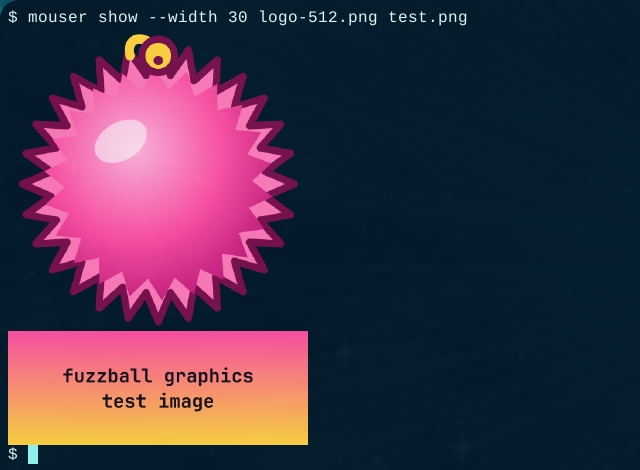
mouser show uploads each image (g u) and places it at the cursor cell (g p).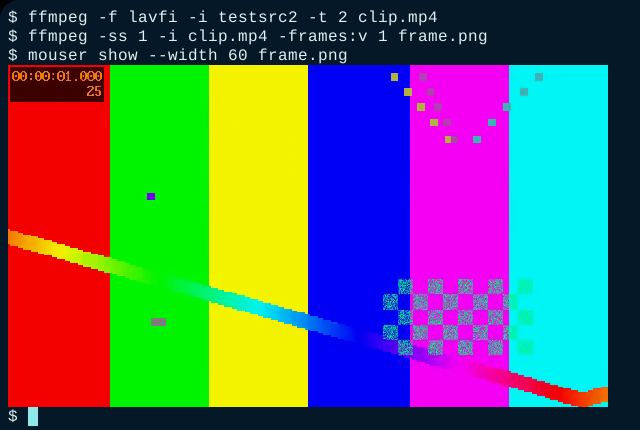
mouser show displays images (PNG, JPEG, GIF first frame, WebP, BMP); it does not play video.# Shell integration
The terminal asks the shell to change directory without typing anything at the prompt. Paths are bytes and are percent-encoded on the wire.
use fuzzball::shell::{Advertise, ChangeDir, ShellReply, CAP_CWD};

// Terminal → shell: silent cd.
let req = ChangeDir::new(7, b"/home/me/src").encode();

// Shell side: read the request, answer when done.
if let Some(cd) = ChangeDir::from_message(&msg) {
    std::env::set_current_dir(std::ffi::OsStr::from_bytes(&cd.path))?;
    out.write_all(&ShellReply::ok(cd.id).encode())?;
}

// Shell → terminal at startup: what this shell can do.
let hello = Advertise::new("zsh", &[CAP_CWD]).encode();ESC P=Fzsc;id=7,path=/home/me/srcESC \# Plugins
A program asks to be accepted as a plugin. The terminal asks the user and answers later; read the answer with granted_caps.
use fuzzball::plugins::{self, Hello, Kind};

let hello = Hello::new(1, "hello-fuzzball", Kind::ToolProvider, &["notify", "screen.read"]).encode();

// Later: which capabilities did this tab grant?
let q = plugins::query(2, "hello-fuzzball");ESC P=Fzph;id=1,name=hello-fuzzball,kind=tool-provider,caps=notify+screen.readESC \# Passthrough
Inside tmux (with allow-passthrough on) or GNU screen, wrap messages so they reach the outer terminal.
use fuzzball::{keyboard, passthrough};

let wrapped = passthrough::tmux(keyboard::ENABLE);
// or: passthrough::screen(..), or passthrough::auto(..) to decide from TMUX / STY.ESC Ptmux;ESC ESC P=Fzks;on=1,v=0ESC ESC \ESC \# Detection & capabilities
Send a capability query followed by DA1. A Fuzzball terminal answers c r before the DA1 reply. Every terminal answers DA1, so if DA1 arrives without a Fuzzball reply, Fuzzball is unavailable.
use fuzzball::common::{self, Capabilities};

out.write_all(&common::detect_query(1))?;

// When a message arrives before the DA1 reply:
if let Some(caps) = Capabilities::from_message(&msg) {
    if caps.keyboard() { /* enable keyboard mode */ }
    if caps.has_subsystem('g') { /* use graphics */ }
}ESC P=Fzcq;id=1ESC \ESC [c